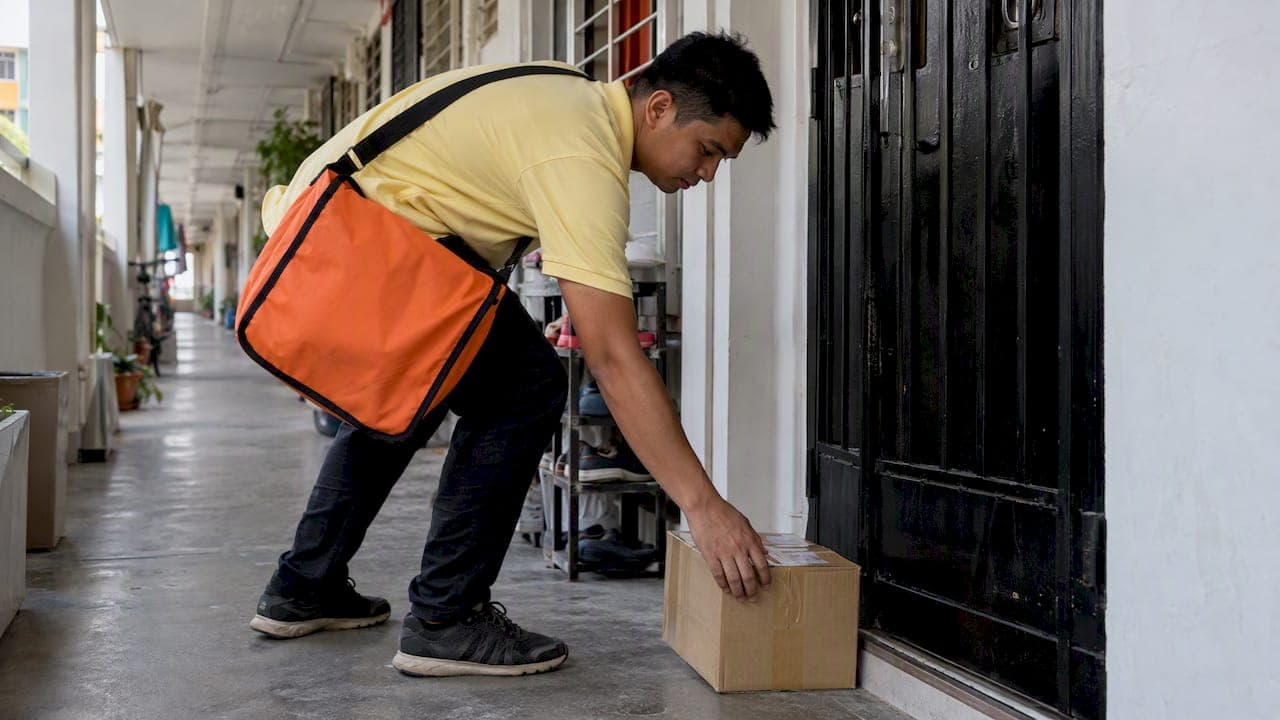
"Out for delivery" means your package has reached the local delivery stage and has been loaded onto a vehicle for its final trip to your address. In most cases it arrives the same day. If it does not, the next tracking event, whether a failed attempt, a delivery exception or silence, tells you what to do. This guide explains each status in plain words and gives you the steps to take.
TL;DR
- Out for delivery means the package is on a local vehicle with a driver. It is not a promised time, and the status often stays unchanged until the package is dropped off.
- Attempted delivery or delivery attempt failed means the driver tried and could not hand over the parcel. Keep your phone reachable and contact the carrier to arrange another try.
- Delivery exception means something unexpected got in the way, such as weather, an address problem or a missing signature. It is a warning, not always a loss.
- Return to sender (RTS) means the parcel is on its way back to the shipper. Act early, because the cause is often an address or customs document problem.
- If a package shows out for delivery but does not arrive, wait until the end of the day before you escalate, then contact the carrier or the sender.
Table of Contents
- What "out for delivery" means
- Where out for delivery sits in the journey
- Why a package can stay "out for delivery" all day
- Out for delivery but not delivered: what to do
- Attempted delivery and delivery attempt failed
- What is a delivery exception?
- Return to sender (RTS) meaning
- Status cheat sheet
- Our perspective: most delivery problems start before the parcel moves
- Ship with clear tracking from the start
- How senders can prevent failed deliveries
- FAQ
- Sources
What "out for delivery" means
Out for delivery is the last big milestone in a tracking history. Before it, your parcel was in transit between facilities, airports or sorting centers. After it, the parcel is with a local driver. One courier-industry guide describes the status as the postal carrier, or the local driver of a major courier, having the package on the vehicle.
Three points make the status easier to read:
- It means "on the vehicle," not "arriving in an hour." The parcel has been assigned to a route for the day. Where it falls on that route is not shown.
- It is entered by the carrier. Tracking apps and aggregator sites do not create the status. Tracking sites say their statuses are judged automatically from carrier-entered information and are for reference only, so a wrong-looking status is worth raising with the carrier.
- It usually appears early in the day. Many carriers trigger it when parcels are scanned at the local depot, before the driver leaves. That is why it can read "out for delivery" for many hours without any update.
If you want a fuller walk through how scans move from pickup to door, our step-by-step parcel tracking guide covers every stage.
Where out for delivery sits in the journey
A typical international shipment passes through the stages below. Names differ by carrier, but the order is similar.
| Stage | What it usually means | What you do |
|---|---|---|
| Label created / shipment information received | The sender has prepared the shipment. The carrier has not yet got the parcel. | Nothing yet. |
| Picked up / shipped | The carrier has the parcel. | Nothing. |
| In transit / departed facility | The parcel is moving between hubs, often across borders. | Nothing. |
| Customs clearance | Border authorities are processing the parcel. | Respond fast if asked for documents or duties. |
| Arrived at local facility | The parcel is in the destination city or region. | Check your address details. |
| Out for delivery | The parcel is on a local vehicle. | Be reachable. Watch for alerts. |
| Delivered | The driver has handed over or left the parcel. | Check the delivery location. |
The status also differs from "shipped." Shipped says the parcel has left the sender. Out for delivery says it is in your area and on its final run. The gap between them can be a day or several weeks for international parcels, depending on the route, customs and the shipping speed chosen.
Why a package can stay "out for delivery" all day
The most common question is a parcel that shows out for delivery in the morning and is still not delivered at night. The reasons are usually ordinary. Research from a logistics provider lists three possible explanations when no delivery scan appears: a missed scan, the driver running out of time, or not enough room on the truck.
In practice, these are the situations behind a stalled status:
- The route is too long. Peak seasons, holiday weeks and bad weather can leave drivers with more stops than hours. Parcels that do not get delivered are carried back to the depot and usually go out again the next business day.
- The status was set at the depot. Because the status can appear at the depot scan rather than at the first stop, "out for delivery" can describe the morning, not your doorstep.
- The delivery happened but was not scanned. The driver may leave the parcel and scan it later, so "delivered" can post late, sometimes the following morning.
- A failed attempt was not shown. Occasionally the driver tries, finds no access, and the update is delayed.
- Address or access issues. Gate codes, unit numbers, locked lobbies and unclear addresses can all slow a delivery.
None of these means the parcel is lost. A parcel that has been marked out for delivery has been physically handled by the destination carrier in your area, which is a good sign.
Out for delivery but not delivered: what to do
Follow these steps in order. Do not skip ahead, because each one saves effort at the next.
- Wait until the end of the day. Carriers deliver through the evening in many areas. A status that has not changed by mid-afternoon is normal.
- Check the exact wording of the latest event. Compare it with the table in this article. "Out for delivery" with no newer event is different from "attempted delivery" or "delivery exception."
- Look around your property. Check the porch, mailroom, neighbors, building reception and any safe place you have given the carrier. Parcels are sometimes left and scanned later.
- Check your phone and email. Carriers send missed-delivery notices, door tags or text messages with a redelivery link.
- Check again the next morning. A late "delivered" scan, or a fresh "out for delivery" scan, often appears overnight.
- Contact the carrier if nothing changes. Give the tracking number and ask for the status of the last scan and the driver's delivery notes. If the carrier has no answer, contact the sender or the shipping platform you used.
If you booked through us, your order page and tracking number give you everything the carrier needs. For parcels that seem to have vanished after several days, read our guide to what senders and SMEs must do about a lost parcel.
Attempted delivery and delivery attempt failed
These phrases mean the same thing: the driver tried to deliver and could not complete it. The wording varies by carrier, and you may also see "delivery attempted," "unable to deliver," "notice left" or "recipient not available."
The reasons are usually simple:
- Nobody was home, and the parcel needed a signature or could not be left safely.
- The building was closed or the access code did not work.
- The address was incomplete, for example a missing unit number.
- The recipient could not be reached by phone when the driver called.
- The delivery was refused.
Tracking services advise keeping your contact details available to avoid a return after a failed delivery, and contacting the carrier to arrange redelivery if the package has not arrived.
What to do after a failed attempt:
- Read the notice or message. It normally tells you whether the carrier will retry automatically, whether you must book a new date, or whether the parcel waits at a pickup point.
- Confirm your address, phone number and unit number with the carrier.
- Arrange redelivery, a new time window or pickup from a collection point.
- Act quickly. Carriers hold parcels only for a limited period, and the period differs by carrier and country, so check the notice for the exact number of days.
If the problem is the address itself, the window to fix it is short. Our post on changing a delivery address with the courier explains why acting within the first 30 to 60 minutes matters.
What is a delivery exception?
A delivery exception means the package could not be delivered as planned, or an unexpected issue affected delivery. It is a general alert label, not a diagnosis. The carrier's tracking page may show a short reason, or none at all.
Common causes listed by logistics providers include bad weather, vehicle trouble, a required signature when nobody is home, address or label problems, and the driver running out of time or being unable to reach the destination.
For international parcels, exceptions also come from customs: a missing invoice, an unclear item description, duties that have not been paid, or a restricted item. These are not listed as an exception cause in the sources above, but they are a frequent reason for a pause in cross-border shipments, so check customs messages first when a parcel is crossing a border.
How to respond:
- Read the detail. Open the full tracking history and look for a reason line.
- Separate the types. A weather exception often clears itself within a day or two. An address or documents exception needs your action.
- Contact the carrier or the sender. Quote the tracking number and ask what is needed to release the parcel.
- Respond the same day. Exceptions that sit unanswered can turn into a return.
Our article on how to avoid shipping delays lists the preparation steps that prevent most of these.
Return to sender (RTS) meaning
"Return to sender" means the parcel is being sent back to the shipper or to the sender's warehouse. On courier tracking pages you may see it shortened to RTS, "returning to shipper" or "return in progress."

A help center from a fulfillment provider lists these possible causes: an incorrect or insufficient address, an absent or unreachable recipient, missing customs or other documents, and refusal by the recipient.
What each cause means for you:
| Cause | Who can fix it | Best action |
|---|---|---|
| Wrong or incomplete address | Sender and recipient | Confirm the correct address with the carrier as early as possible. |
| Recipient absent or unreachable | Recipient | Answer carrier calls and texts, and arrange redelivery before the holding period ends. |
| Missing customs documents | Sender | Provide the correct invoice and item details. |
| Recipient refusal | Recipient | Decide before the parcel is returned, since return shipping may be charged to the sender. |
If your parcel is already marked as returning, contact the carrier right away and ask whether it can still be rerouted to you. Once a parcel has left the destination country, you generally have to wait for it to come back before it can be sent again.
Status cheat sheet
| What you see | Plain meaning | Good or bad? | Next step |
|---|---|---|---|
| Out for delivery | On a local vehicle today | Good | Be reachable |
| Awaiting delivery scan | Not yet scanned at the door | Neutral | Wait until end of day |
| Delivery attempted / attempt failed | Driver could not hand it over | Needs action | Arrange redelivery |
| Delivery exception | Unexpected issue | Depends on cause | Read the detail, contact the carrier |
| Return to sender | Going back to the shipper | Needs action fast | Contact carrier and sender |
| Delivered | Handed over or left at the address | Good | Check the location |
Our perspective: most delivery problems start before the parcel moves
We see the same pattern across international shipments from Singapore. The status on the last day of tracking is rarely the cause. The cause is almost always set at booking: a missing unit number, a phone number that does not work in the destination country, an item description too vague for customs, or a parcel that needed a signature when nobody would be there.
Three habits make the biggest difference:
- Give the recipient's phone number and email, and tell the recipient to expect a call. Drivers and customs brokers use them.
- Describe the contents precisely. "Gift" is slow at customs. "Cotton T-shirts, 3 pieces, new" is not.
- Track from the first day, not the last. A pause at customs on day two is easy to solve. A pause discovered on day nine is much harder.
That is why our platform generates the shipping label and customs paperwork for you, offers pickup at your door, and shows tracking on every order. We also give you a choice of Priority, Connect Plus and Economy speeds, so you can match urgency to budget, and you can read our comparison of two of those international speed tiers before you choose.
— SP
Ship with clear tracking from the start
If you are sending a parcel abroad, you can compare Priority, Connect Plus and Economy options in one place, book a free pickup at your door and follow every scan on your order page. Labels and customs documents are generated for you, and there is no monthly volume commitment.

You can see the shipping options or get a quote for your parcel in a few minutes. If you need to arrange the handover first, our guide to booking a courier pickup in Singapore walks you through it.
How senders can prevent failed deliveries
If you ship parcels, most of the statuses above can be avoided with a short checklist:
- Verify the address format for the destination country. Include the unit number, building name, postal code and a contact number.
- Warn the recipient. A short message with the tracking number and expected window helps the parcel get accepted.
- Prepare complete documents. Match the invoice to the actual contents, value and quantity.
- Check restricted items. Some goods cannot cross certain borders, and a parcel carrying one is likely to stop.
- Pack securely. Damaged parcels can be held back or refused. See our parcel packaging best practices.
- Be present for pickup. If the courier misses you, read what to do about a missed courier pickup.
- Use tracking actively. Our posts on how courier tracking improves shipping results and the advantages of parcel tracking show how to spot problems early.
For the recipient, the equivalent list is short: keep your phone on, add your unit number, sign up for carrier alerts and check any shared mailroom or reception desk before you report a parcel missing.
FAQ
What does "out for delivery" mean?
It means your package has been loaded onto a local vehicle and assigned to a driver for delivery. It usually arrives that day, but the status does not give an exact time. Delays can still happen if the route runs long.
Why does my package say out for delivery but it was not delivered?
The common reasons are a missed scan, the driver running out of time, or not enough room on the truck, as logistics providers explain. Check around your property, wait until the end of the day, and look again the next morning. If nothing changes, contact the carrier.
What does attempted delivery mean?
It means the driver tried to deliver and could not complete it, for example because nobody was available to sign or the address could not be reached. Contact the carrier to arrange another attempt, and keep your phone reachable so the parcel is not returned.
What is a delivery exception?
It is an alert that something unexpected affected delivery, such as weather, a vehicle problem, an address issue or a required signature. Open the tracking history for the reason. Some exceptions clear on their own, while address or document problems need your reply.
What does return to sender mean?
It means the parcel is being sent back to the shipper or its warehouse. Typical causes are an incorrect address, an unreachable recipient, missing customs documents or a refusal, as a fulfillment help center lists. Contact the carrier quickly if you want to stop or reroute it.
Sources
- What's the definition of each package status? – 17TRACK Help Center
- Delivery Status Notifications | Tracking Ecommerce Shipments – ShipMonk
- Delivery Exception – Bigblue Help Center