
Signature on delivery is a carrier-added service that records who received a parcel, when, and where. USPS Signature Confirmation captures the recipient's name, a signature image, the date and time, and the delivery location, giving you documented proof that the right person received the package. If you're shipping anything high-value, legally sensitive, or tied to a contract, require a signature. A plain "Delivered" tracking scan is general information, not a substitute for professional advice on liability. For claims, audits, or invoice reconciliation, only a signed delivery receipt holds up.
A signature on delivery captures the following:
- Recipient name and a legible signature image
- Date, time, and delivery location of the handoff
- Identity verification (for adult or restricted options)
- Legal acceptance of goods, relevant for contracts and procurement
For businesses, proof of delivery is the document that closes the loop between shipment and payment.
Key Takeaways
Signature on delivery is the only universally accepted proof that a specific person received a parcel; a plain "Delivered" scan does not substitute for a signed delivery receipt in claims or audits.
| Point | Details |
|---|---|
| Require a signature for high-value items | Use direct or adult signature for parcels above your claims threshold; a waiver voids most insurance claims. |
| Select the option at label creation | Signature requirements must be set before tender; carriers do not allow changes once a parcel is in transit. |
| Request POD within one year | USPS retains signature records for one year; request the image via tracking tools or by phone at no extra cost. |
| Businesses need centralized POD storage | Store signed POD records in a shared, access-controlled system and match each to its invoice before payment. |
| Simplyparcel | Surfaces signature and protection options during the booking flow for international shipments from Singapore. |
Table of Contents
- What signature types are available, and which one do you need?
- How USPS and FedEx handle signature requirements
- How to add a signature requirement when creating a shipment
- What a signature waiver does to your liability and claims
- What happens when no one is available to sign
- How to obtain the signed proof of delivery after a delivery
- Operational guidance for businesses using signed delivery as a control
- Privacy and safety when collecting and storing signatures
- The real cost of skipping a signature
- Simplyparcel makes setting signature options straightforward
- Sources
What signature types are available, and which one do you need?
Not every shipment needs the same level of verification. Carriers offer a range from no signature at all to restricted delivery to a named individual.
- No signature required. The carrier leaves the package without any sign-off. Convenient, but you carry the full risk if the parcel goes missing after delivery.
- Signature waiver (safe-drop). You authorize the carrier to leave the item without a signature. This improves first-attempt delivery rates but explicitly shifts loss risk to you as the sender.
- Indirect signature. Someone at the address signs, or a neighbor can accept on the recipient's behalf. Lower friction than direct, still provides a signed delivery receipt.
- Direct (standard) signature. Someone at the delivery address must sign. The carrier will not leave the package with a neighbor or in a safe location.
- Adult signature required. A person aged 21 or older at the address must sign. Used for alcohol, tobacco, age-restricted items, and high-value parcels where identity matters.
- Restricted delivery / specific-recipient signature. Only the named addressee (or an authorized agent) may sign. The strongest option for legal documents, pharmaceuticals, or high-value goods.
Pro Tip: Match the signature type to the parcel's value and your contractual obligations. A $50 gift can go indirect; a $2,000 electronics shipment or a signed contract should go direct or adult. When in doubt, one level up costs a small fee and can save a much larger claims headache.
How USPS and FedEx handle signature requirements
Both USPS and FedEx let you add a signature requirement at label creation. The mechanics differ slightly, so knowing each carrier's process saves time.
USPS offers Signature Confirmation, Adult Signature Required, and Adult Signature Restricted Delivery. You must purchase the option at the time of mailing; it cannot be added once the parcel is in transit. For retail counter shipments, PS Form 153 is the physical form used to attach the barcoded Signature Confirmation label and specify how you want the delivery record returned. USPS retains signature records for one year and provides copies at no additional cost via its tracking tools or by phone.
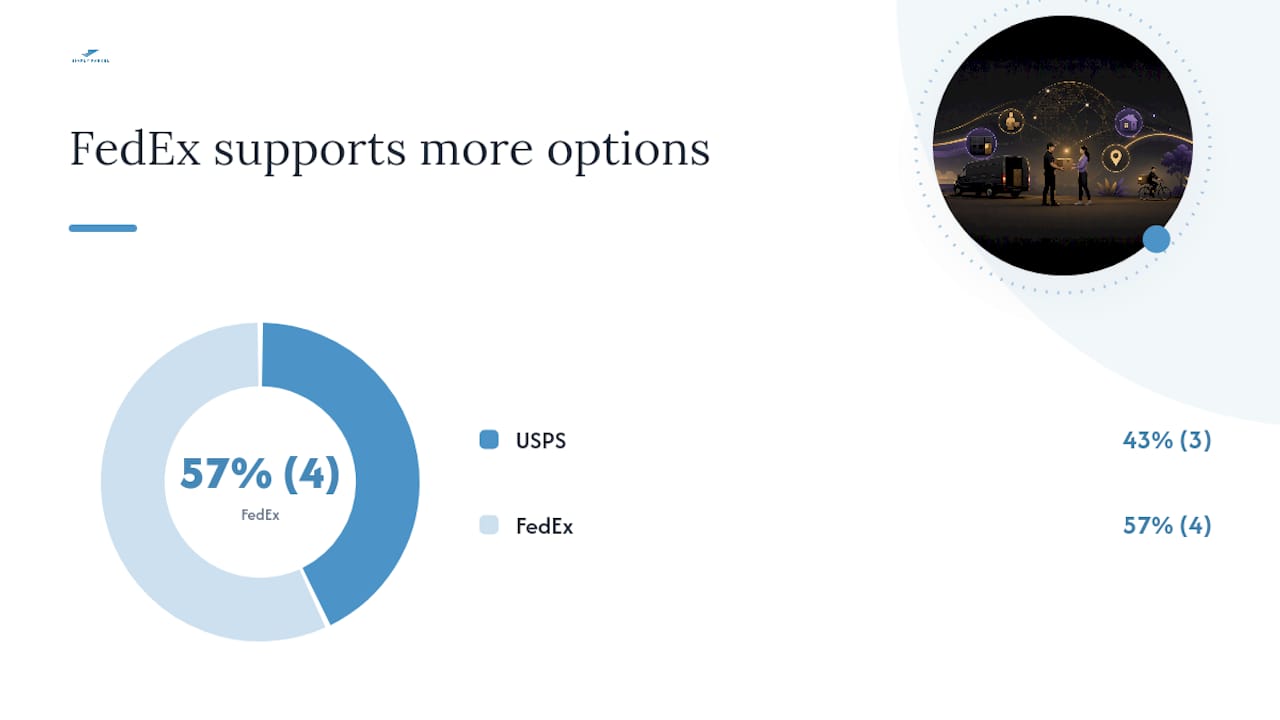
FedEx lets you set signature options during online label creation or at a retail location. Available levels include no signature, indirect, direct, and adult. The shipper selects the level; FedEx does not automatically upgrade based on declared value. For same-day or expedited services, signature and POD features can differ from standard ground options, so confirm availability when booking.
| Dimension | USPS | FedEx |
|---|---|---|
| Signature types supported | Signature Confirmation, Adult Required, Adult Restricted | Indirect, Direct, Adult |
| Where to add | Online, retail counter, PS Form 153 | Online label creation, retail location |
| Service-level availability | Priority Mail, Priority Mail Express, most package services | Ground, Express, most package services |
| Typical fee structure | Separate add-on fee per shipment | Add-on fee per shipment; varies by service |
| If no one signs | Door tag left; redelivery or hold-for-pickup offered | Door tag left; up to 3 attempts, then hold or return |
Key patterns to know:
- First-Class Mail letters and flats do not support signature add-ons.
- Adult Signature options carry a higher fee than standard Signature Confirmation.
- Both carriers require the option to be set before the parcel leaves your hands.
How to add a signature requirement when creating a shipment
The process is straightforward, but the timing is firm: you must select the signature option before the parcel is tendered to the carrier.
- Choose your service. Confirm the service level supports signature add-ons (Priority Mail, Priority Mail Express, FedEx Ground, FedEx Express, and similar package services all do).
- Select the signature option at label creation. On an online shipping platform or carrier website, look for "Delivery Confirmation" or "Signature Options" during checkout. Choose the level that matches your shipment's risk profile.
- Pay the applicable fee. Signature Confirmation and its variants carry a per-shipment add-on fee. Pay it at checkout or at the retail counter.
- Attach the correct form or label. For USPS retail shipments, complete PS Form 153, attach the barcoded label portion to the parcel, and indicate how you want the delivery record returned.
- Print and ship. Hand the parcel to the carrier. Once it's in transit, the signature option is locked. Carriers do not allow changes after tender.
When using an aggregator platform to create your shipment, the signature option typically appears as a selectable add-on during the booking flow, the same way it does on a carrier's own site.
Pro Tip: If you ship regularly, save a default signature setting in your shipping account. Forgetting to add it at label creation is the most common reason businesses end up with a "Delivered" scan and no signed proof.
What a signature waiver does to your liability and claims
A signature waiver tells the carrier it may leave the parcel without obtaining a signature. The carrier is then not obligated to get a sign-off, and the delivery is considered complete when the package is left at the address. That shift in responsibility has real consequences.

When tracking shows "Delivered" under a waiver, the carrier has fulfilled its obligation. If the parcel is subsequently lost, stolen, or disputed, you as the sender have limited recourse. Most carrier insurance policies and third-party insurers treat a waiver as acceptance of the delivery risk. A claim filed after a waiver-covered delivery is often denied because the tracking record shows the carrier completed the job.
Waivers must be selected at the time of mailing and cannot be reversed once the parcel is in transit.
Pro Tip: Never use a signature waiver for shipments valued above your carrier's basic liability coverage, for items requiring age verification, or for any shipment tied to a contract or government procurement order. The convenience of a first-attempt delivery is not worth losing your ability to file a claim.
What happens when no one is available to sign
A failed delivery attempt is not the end of the process. Carriers follow a structured sequence.
- Door tag. The carrier leaves a notice at the address with the attempt date, a tracking number, and instructions for next steps.
- Redelivery. For USPS, you can schedule a free redelivery online at USPS.com or by calling. FedEx offers similar redelivery scheduling via its website or app. Verifying the shipping address before the first attempt reduces the chance of a missed delivery.
- Hold for pickup. Both carriers can hold the parcel at a local facility or authorized pickup location. The recipient typically has 5–15 days to collect before the parcel is returned.
- Return to sender. After the hold period expires or after multiple failed attempts (typically up to three for FedEx), the parcel is returned. For businesses, a returned parcel means a delayed invoice and a reshipment cost.
For time-sensitive shipments, avoiding delivery delays starts with confirming the recipient's availability before the first attempt, especially for adult-signature shipments where a neighbor cannot accept.
How to obtain the signed proof of delivery after a delivery
Getting the actual signature image requires a specific request in most cases. Basic tracking shows a "Delivered" status, but the signature record sits in a separate system.
- USPS. Track the item on USPS.com, select "Proof of Delivery," and request an emailed or mailed copy of the signature image. USPS provides this at no additional cost and retains records for one year. Informed Delivery provides tracking notifications but does not automatically surface POD images; a separate request is needed.
- FedEx. Log into your FedEx account, navigate to the shipment's tracking detail, and request the POD document. Signed POD is available for most signature-required services.
- Aggregator platforms. Platforms that surface real-time tracking may display delivery status, but the full signature image often requires a follow-up request directly with the carrier.
Retain POD records for at least one year to match USPS's own retention window. For high-value or contractual shipments, keep them longer.
Operational guidance for businesses using signed delivery as a control
For businesses, a signed POD is not just a delivery receipt. It's the document that supports invoice payment, closes out a purchase order, and provides evidence in a dispute. Failing to retain it can cause payment delays, failed claims, or an inability to reconcile accounts, particularly in government procurement.
Practical controls to put in place:
- Set a signature threshold by value. Require a signature for any shipment above a defined dollar amount. Many operations teams use $100–$200 as a floor, but the right number depends on your carrier coverage and contract terms.
- Centralize POD storage. Store signature images and delivery records in a shared system with role-based access, not in individual email inboxes.
- Match POD to invoices. Before releasing payment or issuing an invoice, confirm the signed POD is on file for that shipment.
- Define an escalation path. If a POD is missing after delivery, assign a specific team member to request it from the carrier within the retention window.
- Consider ePOD platforms. Electronic proof-of-delivery systems capture signatures, timestamps, photos, and GPS location pins and can store confirmations for extended retention periods, integrating directly with order management and warehouse management systems.
Pro Tip: Integrate ePOD capture into your OMS or WMS so that a shipment cannot be marked "complete" until a signed POD record is attached. That single workflow rule eliminates most missing-POD problems before they become claims or audit findings.
Privacy and safety when collecting and storing signatures
Signature images contain personally identifiable information. Handle them with the same care you apply to any customer data.
- Capture only what you need. Name and signature are sufficient for most delivery confirmations. Avoid collecting additional personal data beyond what the carrier already records.
- Store securely. Keep POD images in an access-controlled system. Limit access to staff who need it for billing, claims, or compliance.
- Redact before sharing. When submitting a POD image for a claim or audit, redact any personal details not required by the recipient of that document.
- Follow your business privacy policy. Handle all signature data in line with your existing data-security practices and applicable privacy regulations for your industry.
These steps are especially relevant for businesses processing high volumes of signed receipts, where a lapse in access control can expose customer data across many records at once.
The real cost of skipping a signature
Most shippers treat signature requirements as optional friction. That's the wrong frame. A "Delivered" tracking status tells you the carrier scanned the parcel at an address. A signed delivery receipt tells you a specific person accepted it. For anything that matters, those are not the same thing.
For individuals, the calculus is simple: if the item costs more than you're willing to lose, require a signature. For businesses, the stakes are higher. A missing signed POD can stall an invoice, void a claim, or create a compliance gap in a government contract. The fee for adding Signature Confirmation is a fraction of the cost of re-shipping or losing a claim.
Simplyparcel surfaces signature options during the label creation flow, so you can set the right level before the parcel leaves your hands.
Simplyparcel makes setting signature options straightforward
When you're shipping internationally and need to confirm delivery, Simplyparcel gives you a clear, consolidated booking flow where signature and protection options appear alongside your rate comparison. You compare courier rates, select your service level, and add delivery confirmation options in one place, without navigating multiple carrier portals.
Simplyparcel suits individual senders and businesses alike, from a single parcel to regular commercial volumes. The platform handles label generation, customs documentation, and real-time tracking, so your POD request starts from a complete shipment record.
Ready to ship with the right delivery confirmation in place? Get an instant quote and set your signature options at checkout.
Sources
These primary sources cover U.S. carrier policy, procurement standards, and technical ePOD options.
- What is Signature Confirmation™?
- USPS Delivery Confirmation – Stamps
- Electronic Proof of Delivery (ePOD) - Verified Deliveries
- Informed Delivery