
Shipping label automation is the process of using software to generate, format, and print shipping labels automatically, pulling order data directly from your store without manual input. For e-commerce sellers and small businesses, this shift from manual to automated label generation is the single highest-impact change you can make to your fulfillment workflow. Platforms like ShipStation and API-first shipping tools have made this accessible even at low order volumes. The benefits of automated shipping labels include faster fulfillment, fewer errors, lower labor costs, and the ability to scale without adding headcount.
Why automate shipping labels in your fulfillment workflow?
Shipping label automation replaces a repetitive, error-prone manual process with a near-instant one. Every time a staff member manually types an address, selects a carrier, and prints a label, that task takes 3–5 minutes. Multiply that across 500 orders per day and you are looking at over 125 hours weekly consumed by a single task. That is more than three full-time employees doing nothing but printing labels.
Automation collapses that same workload to roughly 10 hours per week. The math alone makes the case. But the real gain is what your team does with the reclaimed time. Instead of clicking through carrier portals, they handle exceptions, manage returns, and focus on customer issues that actually require human judgment.
The benefits of shipping label automation also show up directly in your cost structure. Reducing cost-per-shipment by 20–35% is achievable for high-volume sellers through automation, primarily by cutting labor and reducing the downstream costs of shipping errors. That is not a marginal improvement. It changes the unit economics of every order you ship.

Pro Tip: Start your automation rollout with label generation and order sync before touching rate shopping or carrier selection rules. These two steps deliver the fastest return and create a stable foundation for everything else.
Here is the order of priority for automating your shipping workflow:
- Order sync and label generation — Connect your store (Shopify, WooCommerce, or a marketplace like Lazada) directly to your shipping platform so labels generate automatically on order confirmation.
- Address validation — Add automated address checking before labels print to catch errors before they cause failed deliveries.
- Carrier selection rules — Set logic to assign the right carrier based on destination, weight, or service level.
- Customer notifications — Automate tracking updates so your support team stops answering "Where is my order?" emails.
- Rate shopping — Once the above steps are stable, layer in automated rate comparison across carriers.
How does automation reduce shipping errors and protect your reputation?
Manual label errors are more expensive than most sellers realize. A wrong address means a returned parcel, a re-ship cost, and a frustrated customer. Manual errors lead to returns, re-shipping costs, and lost customer trust, and these costs escalate quickly even at 20–50 orders per day. The hidden cost is not just the re-ship. It is the support ticket, the refund request, and the review that follows.
Automated address validation catches problems before the label prints. Tools using AI-enabled OCR can parse handwritten or non-standard addresses and flag them for review rather than letting a bad label enter the print queue. This is especially relevant for international shipments where address formats vary significantly by country.
Standardized label formatting is another accuracy benefit that gets overlooked. When labels are generated by a consistent system rather than typed by different staff members, carrier compliance improves. Barcodes scan correctly. Customs fields populate completely. The standardized label formats that automation produces keep your order data, tracking numbers, customs declarations, and inventory records synchronized across every channel.
"Shipping labels act as critical anchors ensuring data synchronization across tracking, customs, and inventory. Automation avoids chaotic data fragmentation during peak seasons." — Mipa Overseas
The downstream effect on customer satisfaction is measurable. Automated shipping notifications alone lower support tickets by 30–40%, which means fewer staff hours spent on reactive customer service and more time spent on proactive fulfillment. You can read more about how parcel tracking benefits connect directly to this kind of customer experience improvement.
Can automation handle multi-carrier and multi-channel shipping?
Multi-carrier shipping is where manual label processes break down fastest. Managing separate logins, label formats, and tracking systems for USPS, UPS, FedEx, DHL, and regional carriers is operationally unsustainable at scale. Multi-carrier automated label management consolidates all of these into a unified dashboard with consistent label formats and centralized tracking. This is one of the clearest advantages of automated shipping for businesses that sell across multiple platforms.
The table below shows how manual and automated approaches compare across key operational dimensions:
| Dimension | Manual label process | Automated label process |
|---|---|---|
| Label generation speed | 3–5 minutes per order | Near-instant, batch capable |
| Error rate | High (human input) | Low (system-validated) |
| Carrier management | Separate logins per carrier | Unified dashboard |
| Channel integration | Manual data entry per channel | API sync across all channels |
| Scalability | Breaks down above 50–100 orders/day | Handles 500+ orders/day reliably |
| Tracking updates | Manual or delayed | Automatic, real-time |
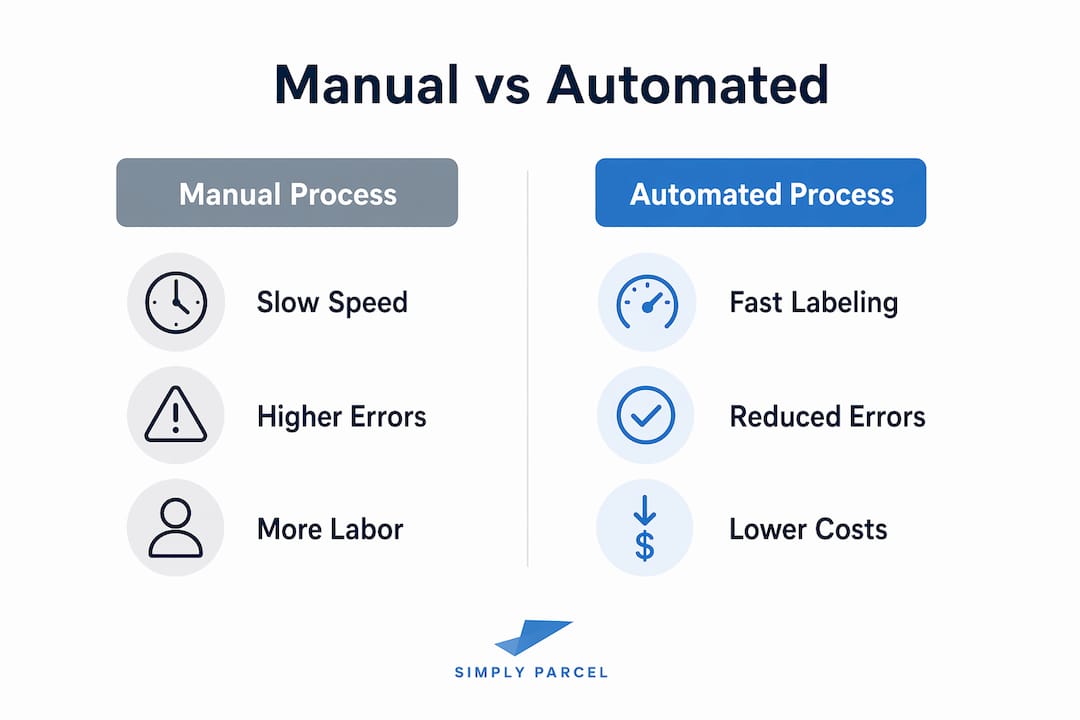
API-first shipping platforms connect your store, marketplaces, and fulfillment systems to automate label creation, tracking, and updates with fewer handoffs and fewer errors. This matters most during peak periods like year-end sales when order volumes spike and manual processes collapse under pressure.
Pro Tip: If you sell on multiple channels (your own website, a marketplace, and a social commerce platform), prioritize a shipping platform with native integrations for each channel. Rebuilding label workflows per channel wastes the time automation was meant to save.
For a deeper look at how multi-carrier shipping works and what to look for in a platform, that guide covers the key decision points clearly.
How to automate shipping labels: practical steps and tools
Getting started with shipping label automation does not require a large technical team. The right approach depends on your order volume, your existing e-commerce platform, and how many carriers you use.
Here are the core integration options available to most small businesses:
- E-commerce plugins — Platforms like Shopify and WooCommerce have native or third-party plugins (ShipStation, ShippyPro, Easyship) that connect your store to carrier APIs and generate labels automatically on order confirmation.
- Direct carrier APIs — Larger operations can connect directly to carrier APIs from DHL, FedEx, or Singapore Post for custom label generation workflows.
- Shipping aggregator platforms — Services like Simplyparcel act as a single connection point to multiple carriers, handling label generation, documentation, and tracking without requiring separate carrier accounts.
- Warehouse management system integrations — If you use a WMS, look for native shipping label modules that pull order data without manual export and import steps.
The most common mistake in early automation setups is skipping exception handling. Ignoring exception workflows risks batch process failures on orders with address errors or customs requirements. Build a manual review queue from day one so that problematic orders get flagged rather than stalled or shipped incorrectly.
Before scaling your automation, run a pilot on a subset of orders. Measure label accuracy, carrier compliance, and time-per-order against your manual baseline. This gives you a real ROI number and surfaces any integration gaps before they affect your full order volume. Understanding standardized label types is also useful at this stage, since different carriers and destinations require different label formats and data fields.
Key Takeaways
Shipping label automation is the most direct way to reduce fulfillment labor, cut error rates, and scale your e-commerce operations without proportionally increasing headcount or costs.
| Point | Details |
|---|---|
| Labor savings are immediate | Automation reduces 125+ weekly manual hours to roughly 10 for teams at 500 orders per day. |
| Errors drop with validation | Automated address checking and standardized formats prevent costly re-ships and failed deliveries. |
| Multi-carrier management becomes manageable | A unified dashboard replaces separate carrier logins and inconsistent label formats. |
| Start with label generation first | Order sync and label generation deliver the fastest ROI before adding rate shopping or complex rules. |
| Exception handling is non-negotiable | Build a manual review queue early to catch address errors and customs issues before they stop your batch process. |
Why I think most sellers automate shipping labels too late
At Simplyparcel, we see the same pattern repeatedly. A seller manages fine at 30 orders per day with a manual process. They hit 80 orders and things get messy. By 150 orders, they are losing hours every day to label printing, fixing errors, and answering customer queries about missing parcels.
The uncomfortable truth is that manual shipping's hidden costs are invisible until they are not. You do not see the cost of the 20 minutes your staff spent correcting a wrong address. You do not see the margin lost on a re-ship. You see a vague sense that shipping is taking too long and costing too much.
What automation actually does is change the job description of your fulfillment team. Shipping automation shifts staff roles from repetitive button-pushing to exception management. That is a fundamentally different and more valuable use of their time. The sellers who automate early build a fulfillment operation that can handle 10x their current volume without 10x the headcount.
My honest advice: do not treat label automation as a nice-to-have upgrade. Treat it as the operational foundation your business needs before you run your next promotion or expand to a new market. The cost of waiting is higher than the cost of setting it up. You can also review shipping cost reduction strategies to see how automation fits into a broader cost management approach.
— Simply
Start automating your shipping with Simplyparcel
Simplyparcel is built for e-commerce sellers and small businesses that need reliable, affordable international shipping without the complexity of managing multiple carrier accounts. The platform handles automatic label generation, customs documentation, and real-time tracking across major courier partners, all from a single interface. Whether you ship 10 parcels a week or 500, Simplyparcel gives you the tools to reduce shipping costs and ship with confidence. Get an instant quote and see how automated label printing works in practice at Simplyparcel's shipment quote page.
FAQ
What is shipping label automation?
Shipping label automation is the process of using software to generate and print shipping labels automatically from order data, eliminating manual data entry. It connects your store or marketplace directly to carrier systems so labels are ready without human input.
How much time does automating shipping labels save?
Teams processing 500 orders per day can reduce label-related work from over 125 hours weekly to roughly 10 hours through automation. That saving scales proportionally at lower volumes.
Does automation work for small businesses with low order volumes?
Automation delivers measurable benefits even at 20–50 orders per day, where manual errors and hidden labor costs already affect margins. Most shipping plugins for Shopify or WooCommerce are low-cost and quick to set up at any volume.
What should I automate first in my shipping process?
Start with order sync and label generation, as these steps deliver the fastest ROI and create a stable base for adding address validation, carrier rules, and rate shopping later.
How does label automation help with international shipping?
Automated label systems populate customs fields, commercial invoice data, and carrier-specific documentation consistently, reducing the risk of clearance delays caused by incomplete or incorrect paperwork.