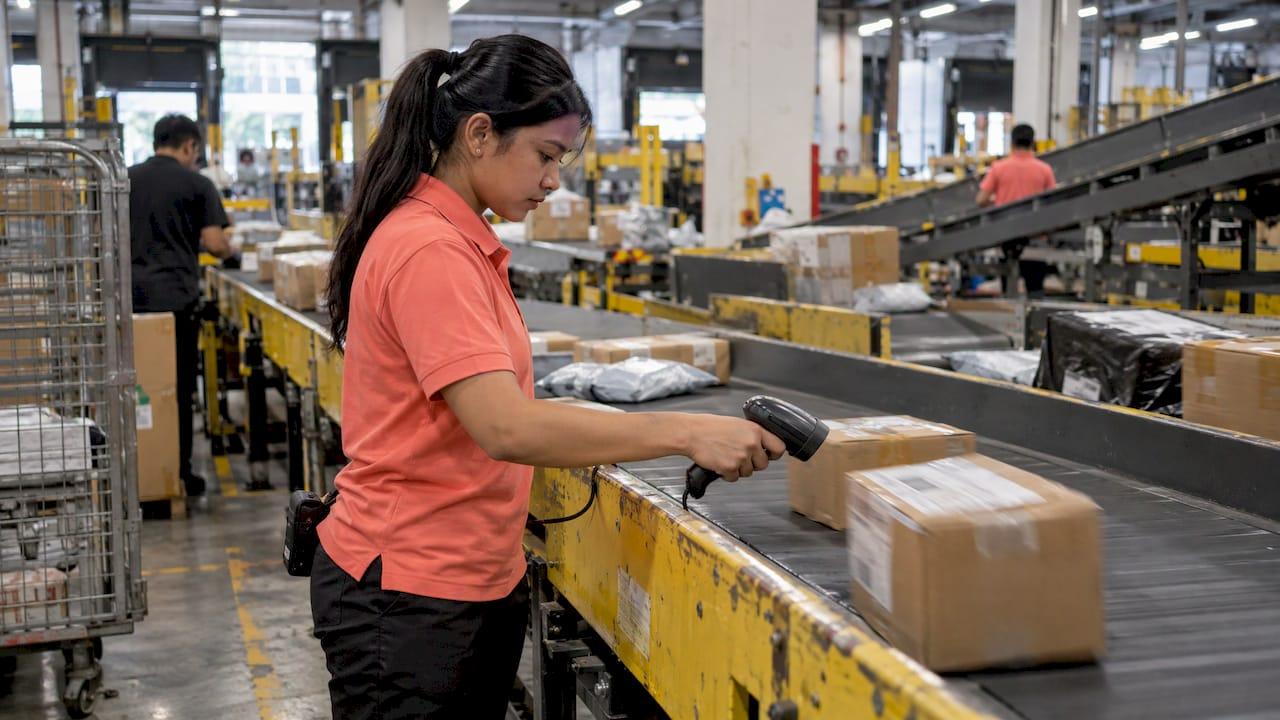
A tracking status is a short label a carrier attaches to each scan of your parcel, and most of them mean exactly what they say: the parcel was received, moved, or handed over. A few, like "label created" and "exception", sound worse or vaguer than they are. This guide explains each common status, how long it normally lasts and what you should do at each point. For international shipments from Singapore, we also show where a status is a signal to act and where it only means waiting. When you book with Simply Parcel, the labels, pickup and tracking sit in one place, so every status below maps to a stage you can see.
TL;DR
- Label created means the shipping label and tracking number exist, but the carrier does not have your parcel yet. Nothing moves until the first scan.
- In transit means the parcel is moving between facilities. Gaps between scans are normal, especially across borders.
- Exception means something interrupted the normal path. It does not mean the parcel is lost, and most clear within a day or two.
- Delivery attempted means the driver could not complete delivery. Look for a door tag and arrange redelivery quickly.
- A status that does not change for five or more business days is the point to contact the carrier or your booking platform.
Table of Contents
- How tracking works in one minute
- The status journey from label to doorstep
- Label created: why nothing is moving yet
- Pickup versus drop-off: when tracking starts
- In transit: normal gaps and what is behind them
- Customs statuses on international shipments
- Shipment exception: what it means and what to do
- Failed delivery attempt: what happens next
- If tracking stops updating
- Our view: statuses are a to-do list, not a mystery
- Ship with tracking you can read
- FAQ
- Sources
How tracking works in one minute
Every parcel gets a tracking number linked to its label. Each time a carrier employee or machine scans the barcode, a status appears on your tracking page with a time and a place. The status is the carrier's name for the event. The scan is the proof.
Two things follow from this. First, you only see what is scanned. A parcel on a truck or inside a plane produces no new status until it reaches the next scan point, so a quiet tracking page is not a stopped parcel. Second, each carrier words the same event differently. USPS, UPS and FedEx all describe the label stage with different phrases, which is why the same stage looks unfamiliar when you switch carriers. For a step-by-step view of how scans build up, see our parcel tracking process guide.
The status journey from label to doorstep
Most shipments move through the same sequence. Names vary by carrier, but the meaning does not.
| Status (typical wording) | What it means | What you do |
|---|---|---|
| Label created / Information received | Label and tracking number exist; the carrier has not received the parcel | Confirm the parcel is packed and ready for pickup or handover |
| Picked up / Accepted / Origin scan | The carrier has physically taken the parcel | Nothing; tracking is now live |
| In transit / Departed facility / Arrived at facility | The parcel is moving through the carrier network | Wait; allow gaps between scans |
| Customs clearance / Held by customs | The parcel is being reviewed by the destination country's customs | Check for requests for duties or documents |
| Exception | Something interrupted the normal route | Read the detail, then follow the section below |
| Out for delivery | The parcel is on the delivery vehicle | Make sure someone can receive it |
| Delivery attempted / Notice left | The driver tried and could not complete delivery | Check for a door tag, arrange redelivery |
| Delivered | The carrier recorded the handover | Confirm you have the parcel |
For the last mile, our guide to what "out for delivery" means goes into detail on what to do the same day.
Label created: why nothing is moving yet
"Label created" is the most searched status for a reason: it feels like progress, yet the parcel has not left your hands. A carrier help page says this status usually updates to picked up or scanned within one to two business days, and that if it stays unchanged for more than five business days you should contact the carrier or support.
The status is created when the label is printed, not when the parcel is handed over. USPS describes it as a shipper having created an address label and tracking barcode for the item, with the message that the carrier does not have the package yet. The same source lists the usual causes of a label sitting for days: labels printed in batches ahead of time, stock not yet available, gaps between collections, a missed collection and a missed first scan.
The same stage has different names. A carrier glossary notes that USPS shows "Shipping Label Created, USPS Awaiting Item", UPS shows "Label Created" and FedEx shows "Shipment information sent to FedEx". None of the three sets a time limit, because the stage ends only when the parcel is handed over.
What to check as a sender
- Is the parcel packed, sealed and carrying the printed label on the outside?
- Has it actually been collected or dropped off? Printing a label does not hand the parcel over.
- Does the pickup window you chose still stand, or was a collection missed?
When you book a pickup with us, the label and customs documents are generated for you during booking. That removes one common cause of a stuck label: a label printed long before the parcel is ready.
Pickup versus drop-off: when tracking starts
The two handover methods start tracking at different moments, and that explains many "nothing is happening" worries.
- Pickup: a courier collects the parcel from your door. The first scan happens when the courier takes it, or when it reaches the carrier's first facility. Until then the status stays at label created.
- Drop-off: you take the parcel to a counter, drop box or service point. The scan usually happens when staff accept it, but a drop box may be emptied only at set times, so the first scan can lag.
For sellers shipping several parcels a day, pickup also means no trips to a counter and no parcel sitting unscanned in a box. Simply Parcel offers free pickup at the sender's doorstep, so the handover and the first scan happen together at your door.
In transit: normal gaps and what is behind them
"In transit" is a broad status. It covers the parcel leaving a facility, arriving at another, being sorted and moving between cities or countries. On an international route this can include flights and handovers between your origin carrier and a local delivery partner in the destination country.
How often should it update? One carrier's support article advises allowing up to 48 hours for domestic tracking to show movement, with updates typically every one to six days depending on service, destination and volume. It adds that a missed scan does not mean the parcel stopped moving. Those figures are for domestic US parcels, so expect longer quiet stretches on international routes, particularly in the air leg and during customs.

Speed tier matters too. Faster services are scanned at more points, while economy services can show fewer events. Our guide on economy shipping tracking explains what sellers and shoppers should expect from lower-cost services.
What to do while in transit: nothing, unless the status has been identical for about a week. At that point, contact the carrier or us with the tracking number.
Customs statuses on international shipments
For a parcel leaving Singapore, customs is the most common reason for a pause. "Customs clearance" or "held by customs" means the destination authority is reviewing the parcel, its documents and sometimes duties or taxes. The review often ends without any action from you, but a request for payment or paperwork must be handled quickly. A carrier guide on delivery exceptions advises checking immediately for customs payment requests, since an unpaid request keeps the parcel waiting.
Incomplete or mismatched descriptions cause avoidable holds, which is why we generate customs documentation automatically from the details you enter and offer guidance on restricted goods and customs requirements. Our common shipping mistakes guide covers the errors that most often trigger a hold.
Shipment exception: what it means and what to do
An exception is a flag, not a verdict. The same carrier guide says it means something interrupted the parcel's normal path, that it does not mean the parcel is lost and that most exceptions resolve within a day or two. Its advice is to read the detail, allow 24 to 48 hours and contact the retailer or shipper if it has not cleared after two business days.
Common causes, according to a carrier tracking guide, include weather delays, mechanical delays, customs delays, damaged labels, incorrect addresses and holds that need action from the recipient. The same guide suggests contacting the carrier if an exception is unclear or lasts more than two to three business days.
A practical way to sort them:
| Type of exception | Examples | Best response |
|---|---|---|
| Network | Weather, vehicle or sorting delays | Wait 24 to 48 hours |
| Customer side | Wrong or incomplete address, recipient unavailable | Act the same day |
| Customs | Duties due, documents requested | Check immediately and respond |
Address problems are the exception you can fix fastest, and the window is short. See how to change a delivery address with the courier and why timing matters.
Failed delivery attempt: what happens next
"Delivery attempted", "notice left" or "first attempt" means the driver tried to deliver and could not finish. A carrier status guide lists the usual reasons: nobody home when a signature is required, a closed business, an access problem or an incorrect address. It says carriers typically make three attempts before returning the parcel to the sender, and that you should look for a door tag, follow its redelivery instructions and verify the address.
Details differ by carrier. In the USPS wording described in a November 2026 guide, "No Access to Delivery Location" means a new try the next business day, while "Notice Left" means no automatic second attempt: the recipient schedules redelivery or collects with photo ID. "Awaiting Delivery Scan" means no delivery was recorded by 9 p.m.
The cost of ignoring this matters for senders. After repeated attempts, a parcel is typically returned to the sender, and according to a shipping cost guide, the shipper then absorbs the return shipping on top of the original delivery charge. If you ship to a recipient abroad, tell them the tracking number and expected window so they are ready for the first attempt.

If tracking stops updating
Use this order:
- Wait the normal gap. Allow 48 hours for domestic movement and longer for international legs.
- Read the last status and location. Exception, customs and delivery attempts each have different next steps above.
- Check the address and documents you entered at booking.
- Contact support after about five business days without a change, with your tracking number ready.
If you track many parcels at once, our guide to tracking multiple shipments across carriers shows how to keep them in one view. For genuinely urgent cargo where a fixed delivery time matters more than cost, private air cargo and same-day delivery is a different class of service, with its own tracking and handling.
Our view: statuses are a to-do list, not a mystery
Most tracking anxiety comes from not knowing which statuses need you and which only need patience. We think of each status as one of two things: wait, or act.
Label created, in transit and out for delivery are waiting statuses. Exception, customs requests and delivery attempts are acting statuses, and the sooner you act, the better the result.
That is why we built Simply Parcel around the points where problems begin: free pickup at your door, automatically generated shipping labels and documentation, access to multiple carrier partners and real-time tracking in one place. Priority, Connect Plus and Economy let you match speed to budget, and there is no monthly volume commitment.
When the statuses are clear from booking to delivery, a quiet tracking page stops being a worry.
SP
Ship with tracking you can read
If you send parcels abroad from Singapore, you can compare rates across our carrier partners, book a free pickup and receive generated labels and customs documents in one booking. Choose Priority, Connect Plus or Economy depending on how fast you need delivery, and follow every status with real-time tracking. Optional additional protection coverage is available. Get a quote for your parcel or see the shipping options.

FAQ
What does "label created" mean on a tracking page?
It means a shipping label and tracking number have been generated, but the carrier has not yet received the parcel. The status normally changes within one to two business days once the parcel is collected or handed over. If it stays the same for more than five business days, contact the carrier or your booking platform.
Is a shipment exception the same as a lost parcel?
No. An exception means something interrupted the normal route, such as weather, an address issue or customs review. Most are resolved within a day or two. Read the detail, allow 24 to 48 hours, and contact support if it persists beyond two to three business days.
How many delivery attempts will a carrier make?
Carriers typically make three attempts before returning a parcel to the sender, although practice varies by carrier and service. After a failed attempt, check for a door tag and follow its redelivery instructions. Confirming the address and delivery instructions early helps avoid a return.
How often do tracking updates appear?
It depends on the service, route and volume. For domestic parcels, updates often arrive every one to six days, and the first movement can take up to 48 hours. International parcels can show longer gaps during flights and customs, so judge by the last status rather than the time since the last scan.
What is the difference between pickup and drop-off for tracking?
With a pickup, the courier collects the parcel at your door and the first scan follows right away. With a drop-off, tracking starts when staff accept the parcel, or when a drop box is emptied. Until the first scan, the status stays at label created.
Sources
- What do the different tracking statuses mean? (carrier help page)
- Shipping Label Created but Not Moving
- What Does a Delivery Exception Mean? Causes & Fixes
- Awaiting From Sender Meaning for USPS and Other Carriers
- Tracking: Movement Delays
- What Does Delivery Exception Mean? FedEx, UPS & USPS
- What Is A Shipment Exception? What Should You Do About It?