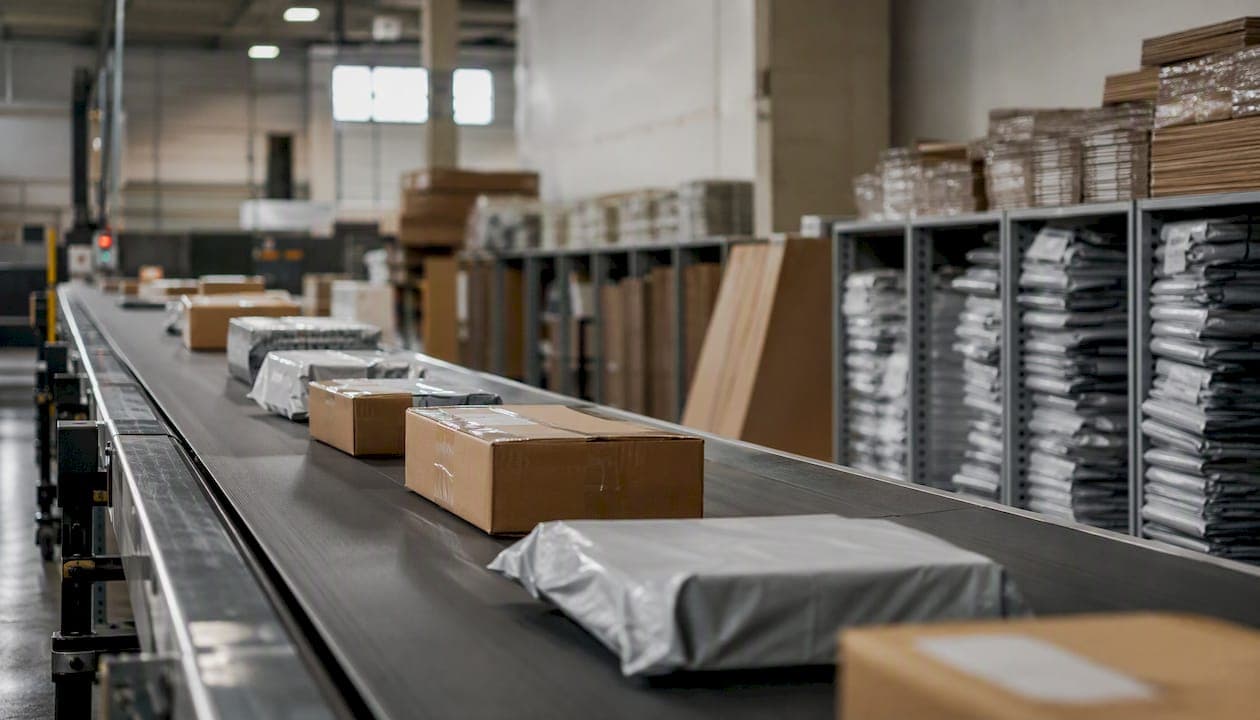
Economy shipping does include tracking in most cases, but updates arrive less frequently than with standard or express services. If your tracking page shows no movement, start here:
- Verify your tracking number. Copy it directly from your order confirmation email, not from a marketplace dashboard where formatting can strip characters.
- Check the carrier's site directly. USPS, FedEx, UPS, and DHL each have their own tracking portals, and updates sometimes appear there before third-party tools catch them.
- Add the number to a multi-carrier aggregator such as AfterShip, 17TRACK, or Ship24, which pull from multiple carrier APIs and often surface scans the original carrier page misses.
Two quick distinctions matter before you dig deeper. Domestic economy shipments (USPS Ground Advantage, FedEx Ground Economy, UPS Ground) are generally fully tracked with end-to-end scans, though quiet windows of 2–3 days mid-route are normal. International economy shipments, particularly consolidated or postal-injection services, often lose scan granularity once handed to a local postal authority at the destination country. Knowing which type you have shapes every troubleshooting step that follows.
Key Takeaways
Economy shipping is tracked in most cases, but fewer scans, carrier handoffs, and customs holds mean gaps of several days are normal and usually resolve on their own within a 5–14 business day window.
| Point | Details |
|---|---|
| Economy shipping has tracking | Most domestic and international economy services include tracking, but scan frequency is lower than express or standard options. |
| Quiet windows are normal | Domestic economy shipments can show no updates for 2–7 business days mid-route; international routes can be silent for up to 14 business days. |
| Use a multi-carrier aggregator | Tools like AfterShip, 17TRACK, and Ship24 surface scans from partner carriers that don't appear on the original carrier's page. |
| Escalate at the right time | Contact the seller if the expected delivery date has passed; file a formal carrier claim if the parcel is 7+ business days late (domestic) or 21+ business days late (international). |
| Simplyparcel aggregates tracking | Booking through Simplyparcel adds automatic multi-carrier tracking, reducing the need to check multiple portals manually. |
Table of Contents
- What does economy shipping actually mean for tracking?
- Which carriers offer economy services, and what are they called?
- How does economy tracking differ from standard or express services?
- Why is your tracking not updating, and how do you fix it?
- How do you identify the right carrier and verify your tracking number?
- Which multi-carrier tracking tools work best for economy shipments?
- When and how do you file a claim for a lost or late economy shipment?
- How sellers can reduce tracking-related support tickets
- Why do tracking gaps happen? The operational reasons behind the silence
- What Simplyparcel sees in economy tracking questions
- Simplyparcel makes economy shipping easier to manage
- Sources
What does economy shipping actually mean for tracking?
Economy shipping is a lower-priority, lower-cost service class. Carriers process economy parcels after express and standard freight, which means longer transit times and fewer scanning touchpoints along the route. The trade-off is straightforward: you pay less, and the carrier invests less handling infrastructure per parcel.
Typical use cases include non-urgent B2C orders, print-on-demand fulfillment, and bulk e-commerce shipments where a buyer has chosen the cheapest delivery option at checkout. For sellers, economy services reduce per-unit shipping cost significantly. For buyers, the payoff is a lower price at checkout in exchange for a longer wait and less granular tracking.
Domestic economy services in the U.S. generally deliver within a typical range of business days. International economy routes vary widely and can take several weeks depending on destination and customs processing complexity. Tracking frequency follows the same pattern. A domestic ground parcel might generate 5–10 scans from acceptance to delivery. An international economy parcel routed through a consolidator might show only 3–4 events total, with a multi-day silence between each one.
Understanding this trade-off upfront prevents unnecessary alarm. A parcel that shows "In Transit" for five days on an economy service is almost always moving; it simply hasn't passed a scan point yet.
Which carriers offer economy services, and what are they called?
Each major carrier uses its own branding for economy-tier services. Knowing the exact service name on your label or order page tells you which tracking portal to check and what scan frequency to expect.
USPS offers Ground Advantage (domestic, replaced First-Class Package and Retail Ground in 2023) and First-Class Package International for lower-cost cross-border mail. Both are tracked, though international scan frequency drops sharply after the parcel leaves U.S. soil.
FedEx runs FedEx Ground Economy (formerly SmartPost) for domestic parcels. A key operational detail: FedEx Ground Economy parcels destined for PO boxes, U.S. territories, or military addresses are handed to USPS for final delivery. When that handoff happens, the final scan appears on USPS's system, not FedEx's.
UPS offers UPS Ground for domestic economy movement and UPS Worldwide Economy for cross-border shipments. UPS Worldwide Economy operates through a vendor network, with documented time-in-transit averages of about 5–8 business days. Tracking detail often reduces after the parcel is handed to local postal authorities at the destination.
DHL provides DHL eCommerce Solutions (formerly DHL Parcel) for domestic and international economy parcels, and DHL Packet International for lower-weight cross-border items. Both are tracked, but DHL eCommerce Solutions uses a postal-injection model in many markets, meaning final-mile scans appear on the destination country's postal system.
| Service | Domestic or International | Typical Transit Time | Tracking Detail |
|---|---|---|---|
| USPS Ground Advantage | Domestic | 2–5 business days | Full end-to-end scans |
| FedEx Ground Economy | Domestic | 2–7 business days | Full, with possible USPS handoff for final scan |
| UPS Ground | Domestic | 1–5 business days | Full end-to-end scans |
| DHL eCommerce Solutions | Both | 2–8 days domestic; 7–14 days international | Moderate; final-mile via local post |
| USPS First-Class Package International | International | 7–21 business days | Limited after U.S. departure |
| UPS Worldwide Economy | International | 5–8 business days | Reduces after partner handoff |
How does economy tracking differ from standard or express services?
The gap between economy and express tracking is mostly about scan frequency, not tracking availability. Express parcels move through dedicated sort facilities with high-frequency scanning. Economy parcels often travel in consolidated containers alongside hundreds of others, and those containers move as a unit without individual parcel scans at every stop.
Common status messages and what they mean for economy shipments:
-
Label Created / Shipment Information Received: The seller has generated a label, but the carrier has not yet physically scanned the parcel. This status can sit unchanged for 1–3 days if the seller batches drop-offs or uses scheduled pickups.
-
Accepted / In Transit: The carrier has the parcel and it is moving. For economy services, this status can persist for several days without a new scan, especially during a long truck leg.
-
Arrived at Facility: The parcel reached a sort hub. This scan often appears only at major regional hubs, not at every intermediate stop.
-
Out for Delivery: Final-mile delivery is in progress. This scan is reliable for domestic services; international economy shipments may skip this status entirely and jump straight to "Delivered."
-
Delivered: The carrier recorded delivery. If you don't see the parcel, check with neighbors and your building's mail area before escalating.
The visual difference on a tracking page is noticeable. An express shipment might show 8–12 timestamped events over two days. An economy shipment on the same route might show 3–4 events over a week, with long gaps between them. Multi-carrier aggregators like AfterShip and 17TRACK sometimes surface intermediate scans that don't appear on the carrier's own page, because they pull from regional carrier APIs that the carrier's consumer portal doesn't display. The advantages of parcel tracking become especially clear when an aggregator catches a handoff scan that would otherwise look like silence.
Why is your tracking not updating, and how do you fix it?
Tracking silence on an economy shipment has a short list of root causes. Most cases resolve within a few business weeks, depending on origin, destination, and whether customs is involved. Before you escalate, work through this checklist.
Step-by-step troubleshooting:
- Confirm the tracking number format. Copy the number character-by-character from the original shipping confirmation. A single transposed digit returns no results or pulls up a different parcel entirely.
- Check the correct carrier's site. If your order shows a FedEx Ground Economy number, check FedEx first. If the parcel is near delivery to a PO box, also check USPS.
- Try a multi-carrier aggregator. Paste the number into Ship24, AfterShip, or 17TRACK. These tools query multiple carrier APIs simultaneously and often find scans the primary carrier page doesn't show.
- Wait for the appropriate window. For domestic economy services, a 2–7 business day quiet window mid-route is within normal range for USPS ground services. International economy shipments can sit without updates for 7–14 business days, particularly during customs clearance.
- Contact the seller. If the expected delivery date has passed and tracking still shows no movement, message the seller. They can check on their end whether the parcel was tendered to the carrier or whether a label was created but never scanned in.
- Submit a service request with the carrier. USPS recommends filing a service request through their tracking page if a parcel is delayed beyond the expected window. FedEx and UPS have equivalent inquiry forms.
- Open a missing-mail search or formal inquiry. If the parcel is more than 7 business days past its expected delivery date (domestic) or 21 business days (international), escalate to a formal inquiry or missing-mail search.
Pro Tip: Before contacting the carrier, take a screenshot of the full tracking history with timestamps. Carriers process inquiries faster when you can show exactly where updates stopped, rather than describing it verbally.
For domestic shipments, wait at least 5 business days past the expected delivery date before filing a formal claim. For international economy routes, allow 21 business days from the ship date before escalating to a claim, since customs holds alone can account for 5–10 of those days.
How do you identify the right carrier and verify your tracking number?
Tracking numbers follow recognizable patterns, and knowing those patterns saves time when an order page doesn't clearly state which carrier is handling your parcel.
USPS numbers typically start with a two-letter prefix and end with "US" (for example, a format like "EA 000 000 000 US" for international, or a 22-digit numeric string for domestic Ground Advantage). FedEx domestic numbers are usually 12 or 15 digits. FedEx Ground Economy numbers sometimes begin with "61" and are 22 digits long, which is why they can look like USPS numbers. UPS numbers start with "1Z" followed by a mix of letters and digits. DHL eCommerce numbers vary by service but often follow a 10-digit or alphanumeric format.
When you're unsure, paste the number into a multi-carrier aggregator first. Tools like 17TRACK and AfterShip automatically detect the carrier from the number format and route the query to the right API. This is faster than guessing which carrier site to check.
Secondary tracking numbers are common and easy to miss. When a carrier hands a parcel to a partner (FedEx to USPS, for example), the receiving carrier assigns its own tracking number. That secondary number often appears in the merchant's shipping confirmation email, on the physical label, or in your marketplace order history. Check all three locations before concluding that tracking has stopped.
Pro Tip: If a parcel was shipped via a marketplace (Amazon, eBay, Etsy), log into your order history and look for a "View shipment details" link. Marketplaces often display both the primary and secondary tracking numbers, and sometimes show carrier-specific status messages that don't appear on the carrier's own page.
Which multi-carrier tracking tools work best for economy shipments?
Multi-carrier trackers work by querying multiple carrier APIs with a single tracking number. When a parcel changes hands between carriers, the aggregator detects the handoff event and begins pulling from the new carrier's data feed. This is why aggregators often reveal updates that don't appear on the original carrier's page.
AfterShip supports over 1,100 carriers and is widely used by e-commerce sellers for bulk tracking management. Its dashboard lets you import tracking numbers in bulk, set up automated email and SMS notifications, and filter shipments by status. For buyers, AfterShip's free consumer-facing tracker handles most major economy services.
17TRACK covers a broad range of international postal services and is particularly strong for cross-border economy shipments that pass through multiple postal systems. It's a practical first stop for international economy tracking where the destination country's local post is involved in final-mile delivery.
Ship24 focuses on real-time tracking across global carriers and is useful for international economy routes where data-sync delays are common. Ship24's help documentation also explains clearly why updates pause, which helps buyers interpret silence without panicking.
Easyship is geared toward e-commerce sellers and combines rate comparison with tracking aggregation. It's useful when you want to manage both the booking and the post-shipment visibility in one place.
For sellers managing more than a handful of shipments per week, setting up automated notifications is worth the time. Most aggregators let you configure alerts for status changes, so you're notified when a parcel clears customs or reaches the destination facility, rather than checking manually. For individual buyers, the free tiers of AfterShip and 17TRACK cover most use cases without any setup.
Use the carrier's own tracking page when you need the most current scan data for a domestic shipment. Use a multi-carrier aggregator when a parcel has crossed borders, changed hands between carriers, or shown no updates for several days.
When and how do you file a claim for a lost or late economy shipment?
Economy services are generally not guaranteed-delivery services, which affects how claims are processed. Before filing a formal claim, exhaust the inquiry process first.
Step-by-step claim checklist:
- Confirm the parcel is genuinely late or lost. Check that the expected delivery window has passed, not just the estimated date. Economy services often have wide delivery windows, and arriving on the last day of the range is not a delay.
- Collect proof of shipment. Gather the original shipping confirmation, the tracking number, and the carrier's acceptance scan (the first scan showing the carrier received the parcel).
- Save the full tracking history. Screenshot or export every status event with timestamps.
- Gather purchase documentation. Keep the original order receipt, invoice, or purchase confirmation showing the item's value.
- Document the item. For high-value shipments, photos of the item and packaging before shipment support a claim. For items that arrived damaged, photograph the damage and the packaging immediately.
- Contact the seller first. Many sellers carry their own shipping protection or have seller-side claim processes that resolve faster than going directly to the carrier.
- File with the carrier. USPS, FedEx, and UPS each have online claim portals. For USPS, the tracking status help page links directly to the missing-mail search and claim process. UPS and FedEx require you to log in and file through their claims centers.
- Follow up within the carrier's stated window. Most carriers require claims to be filed within 60 days of the ship date for domestic shipments and within 90 days for international.
Realistic outcomes for economy-class claims vary. Because economy services typically don't carry guaranteed delivery commitments, carriers may offer a refund of the shipping cost rather than the full item value. Declared value coverage or third-party shipping insurance, purchased at the time of booking, is the most reliable way to recover item value on a lost economy shipment.
How sellers can reduce tracking-related support tickets
Tracking questions are one of the most common sources of buyer support volume for e-commerce sellers, and most of them are preventable with the right messaging at the right time.
Before purchase: Label economy shipping options clearly at checkout. Show the estimated delivery window as a range ("5–8 business days"), not a single date, and add a short note that tracking updates are less frequent than express services. Buyers who expect weekly scans on a $3 shipping option will generate tickets; buyers who expect 3–4 updates over a week generally don't.
After purchase: Send an automated shipping confirmation that includes the tracking number, the carrier name, a direct link to the carrier's tracking page, and a plain-language note about what "no updates for a few days" means. Something like: "Economy shipments sometimes show no new scans for 2–4 days mid-route. This is normal. If your expected delivery date passes without delivery, contact us."
Operational fixes that improve tracking visibility:
- Tender parcels to the carrier daily, not in batches at the end of the week. A label created Monday but not scanned until Friday creates four days of "Label Created" silence that buyers interpret as a problem.
- Confirm label acceptance scans before marking orders as shipped in your store. An acceptance scan means the carrier physically has the parcel.
- Include secondary tracking numbers in your shipping confirmation when a carrier handoff is expected (FedEx Ground Economy to USPS, for example). Buyers who receive both numbers can check the right system at the right time.
For a broader set of seller-side steps, the guide on how to avoid shipping delays covers operational fixes that reduce both delays and the tracking gaps that follow them.
Why do tracking gaps happen? The operational reasons behind the silence
The most common causes of tracking silence fall into four categories, each with a predictable delay window.
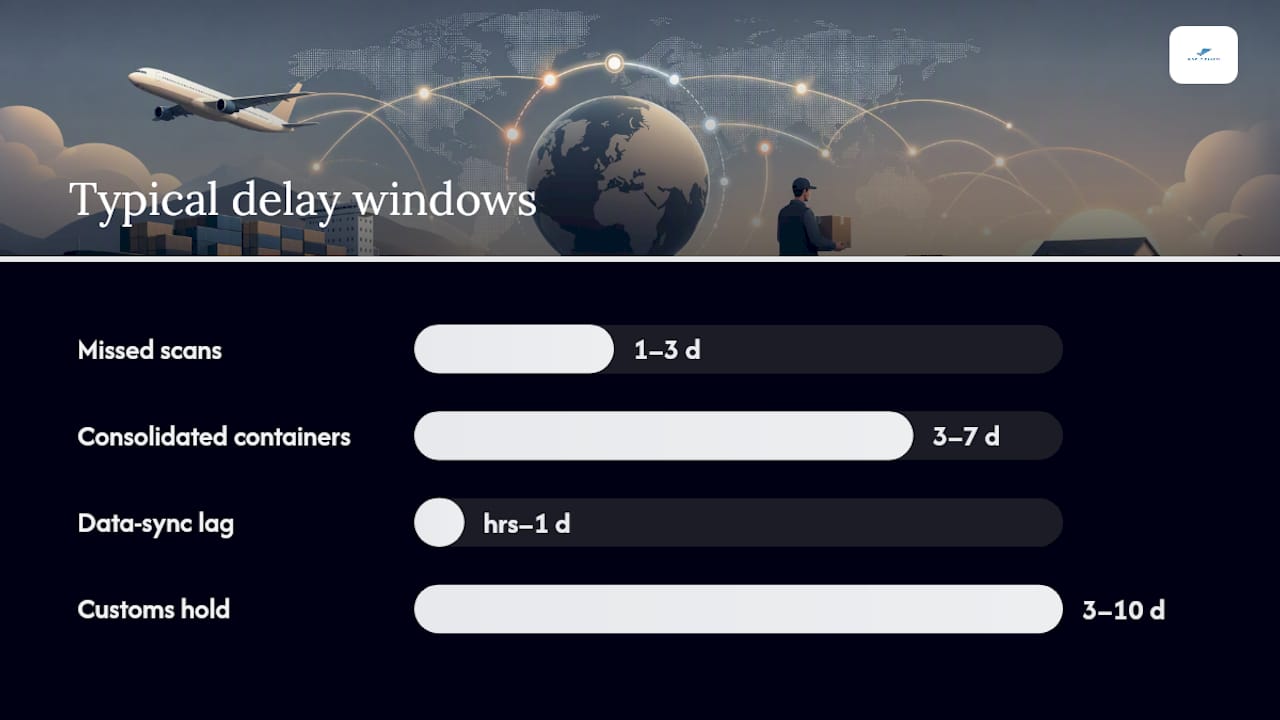
Missed scans happen when a parcel moves through a facility without being individually scanned, usually because it's inside a sealed container or bag. This is the most frequent cause of mid-route silence and typically resolves at the next major sort hub.
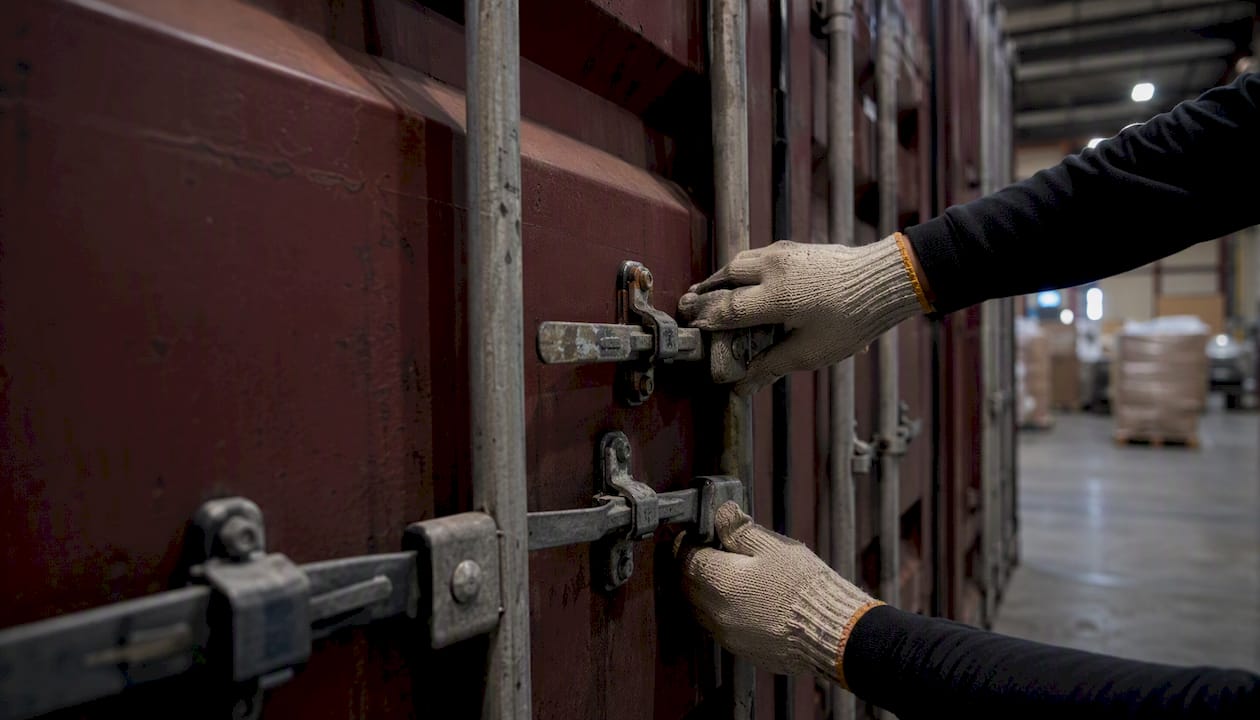
Consolidated containers are the defining feature of economy shipping logistics. Economy parcels are grouped into large containers or bags and moved as a unit. The container gets scanned, not the individual parcels inside it. Until the container is opened and sorted at the destination facility, no new parcel-level scans appear.
Data-sync delays occur when a carrier's regional system records a scan but the data hasn't propagated to the consumer-facing tracking portal yet. This lag can be a few hours or, in some cases, a full day. Customs holds add another layer: a parcel sitting in customs clearance generates no carrier scans until it clears, which can account for 5–10 days of silence on international routes.
Partner handoffs are particularly common in international economy shipping. Once a parcel leaves the origin carrier's network and enters the destination country's postal system, tracking data must transfer between two separate systems. That transfer is not always instantaneous, and for some routes it never fully completes.
| Root Cause | Typical Delay Window |
|---|---|
| Missed scan at a facility | 1–3 business days |
| Consolidated container in transit | 3–7 business days |
| Data-sync lag | A few hours to 1 business day |
| Customs hold | 3–10 business days |
| Partner/local-post handoff | 2–5 business days |
Key implication: Most economy tracking gaps are operational, not a sign that a parcel is lost. Ship24's guidance confirms that the majority of frozen-tracking cases resolve within a 5–14 business day window. If the expected delivery date has not yet passed, waiting is almost always the right first move.
What Simplyparcel sees in economy tracking questions
At Simplyparcel, the most common question we hear from customers is some version of: "My tracking hasn't updated in days. Is my parcel lost?" The short answer, in the vast majority of cases, is no. The parcel is moving inside a consolidated container or waiting for a customs scan, and the next update will appear when it reaches the next sort point.
What we've built to reduce that anxiety is a tracking aggregation layer that pulls from multiple carrier APIs simultaneously, so customers see updates from both the origin carrier and the destination postal system in one place. When you book through Simplyparcel, your tracking number is automatically added to that system, and you receive status notifications without having to check manually. That doesn't eliminate economy tracking gaps, but it does mean you're less likely to miss a scan that appeared on a secondary carrier's system.
Simplyparcel makes economy shipping easier to manage
Tracking an economy shipment across multiple carriers and postal systems is genuinely complex, and the tools that make it manageable are worth knowing about. Simplyparcel brings rate comparison, carrier booking, automatic label generation, and tracking aggregation into one platform, so you're not switching between five carrier portals to find out where your parcel is.
For international shipments from Singapore, Simplyparcel connects you to multiple courier partners, lets you compare economy and priority rates side by side, and handles the documentation automatically. The platform's tracking module aggregates updates across carriers, including final-mile scans from destination postal systems, so you get a clearer picture than a single carrier page provides.
Ready to compare economy shipping rates and get automatic tracking from pickup to delivery? Get an instant quote on Simplyparcel and book your next shipment in minutes.
Sources
The following pages are the most direct resources for checking status, understanding carrier policies, and filing claims for economy shipments.
- How Economy Shipping Works: When To Use It (2025) - Shopify
- Why are tracking updates showing no movement? - Ship24
- Where is my package? Tracking Status Help - USPS
- 2025 Worldwide Economy Rate and Service Guide (US) Final - UPS