You can ship a smartphone overseas, as long as the battery stays installed inside the phone, the phone is packed to survive a long trip, and the customs paperwork matches what is in the box. The phone itself is rarely the problem. Rejections usually come from a loose battery, a missing invoice, or a carrier or country that does not accept lithium batteries in that service. This guide walks you through each step, from checking the rules to handing over the parcel.
TL;DR
- A phone with its lithium battery installed can move internationally, but acceptance depends on the service and the countries involved. Loose batteries and power banks cannot go by airmail.
- Power the phone off, back up your data, remove your accounts and SIM, and pack it in a rigid box with cushioning on every side.
- Attach a commercial invoice that states the phone's model, condition and honest value, even if it is a gift or a repair.
- Pick the speed by urgency: Priority for the fastest delivery, Connect Plus as a middle option, Economy when cost matters more than time.
- Check the destination country's rules before you book, because import limits and duties for phones vary by country.
Table of Contents
- Can you send a phone internationally?
- What you can and cannot put in the box
- Check the destination before you book
- Prepare the phone
- Pack the phone so it survives the trip
- Customs paperwork for a phone
- Choose the right shipping speed
- Perspective: why we recommend booking a phone through a courier platform
- Book your phone shipment
- Common mistakes that get phone shipments stopped
- FAQ
- Sources
Can you send a phone internationally?
Yes, with conditions. Phones contain lithium-ion batteries, and these are regulated as dangerous goods for air transport. IATA classes lithium-ion batteries contained in equipment, such as a phone, as UN3481. The rules separate batteries packed alone from batteries installed in the device. According to IATA's lithium battery fact sheet, batteries shipped by themselves are restricted to cargo aircraft, while batteries installed in equipment may travel on passenger aircraft within applicable limits. The shipper is responsible for declaring and preparing them correctly.
Postal mail adds a second layer. The Universal Postal Union says international mail may accept mobile phones with lithium batteries installed, but only when the national aviation authority has approved it. The batteries must be installed in the equipment, with no more than two batteries or four cells per postal item. IATA's FAQ on shipping lithium batteries by air says the same in plain terms: loose lithium batteries cannot go by airmail, while phones may if the postal authority holds that approval.
In practice, this is why one person ships a phone to France without trouble while another has the parcel returned. It depends on the service chosen and the destination.

What you can and cannot put in the box
A phone shipment is simple when you keep to a short list.
| Item | Usually acceptable? | Notes |
|---|---|---|
| Phone with battery installed | Yes, within carrier and country limits | Classified as UN3481 (battery contained in equipment) |
| Spare or loose phone battery | No by airmail | Loose batteries are restricted to cargo aircraft under dangerous-goods rules |
| Power bank | Not in the same parcel | Power banks are classified as batteries, not as equipment |
| Charger and cable | Yes | Pack separately from the phone so they cannot press on the screen |
| Protective case, screen protector | Yes | Fine to include, and useful as extra padding |
| Phone with a visibly swollen or damaged battery | No | Do not ship. Take it to a phone repair or e-waste collection point |
Keep the parcel to the phone and its accessories. Do not add a battery pack "to keep the phone charged on the way." A parcel with a phone and a separate power bank is the most common reason an otherwise valid shipment is flagged.
The 30% charge rule
From 1 January 2026, IATA's battery guidance sets a state-of-charge limit of no more than 30% for lithium-ion batteries packed with equipment. IATA's fact sheet confirms this. Higher levels need approval from the State of Origin and the State of the Operator.
For you, that means a phone should not go into the box fully charged. Let the battery run down to roughly a third, then switch the phone off completely. Do not let it hit zero and sit for weeks, because a deeply discharged battery is not what you want either. If you are unsure how your courier applies the limit, ask at booking. The same rule applies to laptops, and we explain it step by step in our guide on how to ship a laptop overseas.

Check the destination before you book
Two checks take five minutes and save the most trouble.
- Is the destination's postal operator approved for batteries in equipment? The UPU publishes a list of designated postal operators authorized to accept equipment containing lithium batteries, arranged by country and operator. If the destination is not on it, a postal service is a poor choice and an express courier is the safer route.
- Can the recipient receive a courier parcel at that address? Express carriers need a street address and a phone number for the recipient. Some address types cannot take courier deliveries, as explained in this overview of PO Box delivery restrictions. Ask the recipient for a street address where someone can sign.
Then look at the country's rules on imported phones. Many countries charge duty or VAT on phones, some ask for the IMEI, and a few limit how many phones can enter in a single parcel. Look this up on the destination customs authority's website, or ask the recipient to do it. A phone that arrives and sits in customs for lack of a tax payment is a worse outcome than a short delay at booking.
Prepare the phone
A few minutes here protects the person receiving it, and you.
- Back up your data. Use your cloud account or a computer. Parcels can be delayed or damaged, and a backup makes that only a hardware problem.
- Sign out of your accounts. If you are sending the phone to someone else, turn off any "find my device" or activation lock feature and sign out of your Apple or Google account. A locked phone is useless to the recipient.
- Remove the SIM and memory card. Keep them with you. A SIM left inside can be a problem at customs and for your privacy.
- Reset the phone if you are giving it away. A factory reset removes your personal data.
- Discharge to about 30% and power off. Check that the phone cannot switch on by itself in transit, for example through a scheduled alarm or a button pressed under pressure.
- Note the model, IMEI and condition. Take photos of the phone from every side before sealing the box. They help with a claim if the parcel arrives damaged.
Pack the phone so it survives the trip
Smartphones usually fail in transit from screen pressure and corner impact. A simple method works well.
- Use the original box if you have it. It is shaped for the phone. Put it inside a second, larger carton rather than shipping it alone, because retail boxes are not designed for courier handling.
- Protect the screen. Make sure the phone has a screen protector or a layer of foam or soft paper over the glass. Add a case if you have one.
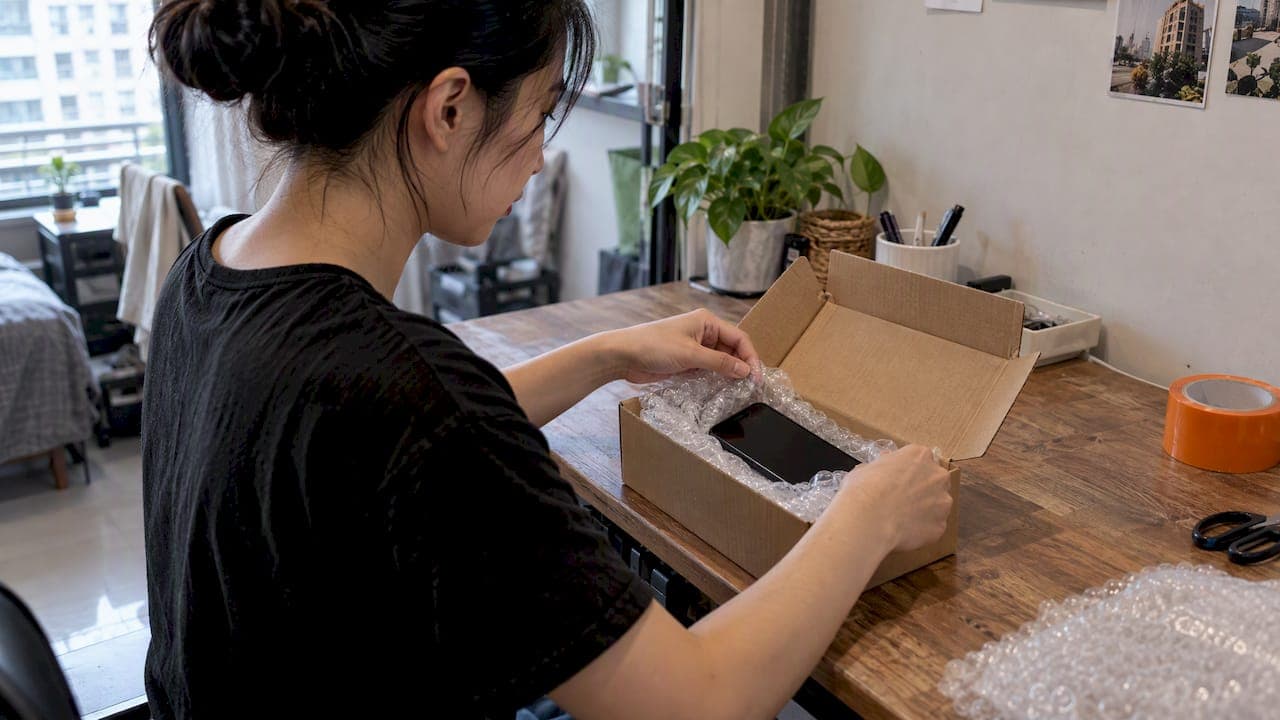
- Wrap the phone on its own. Use bubble wrap or foam so the phone cannot touch the walls of the box. Wrap the charger and cable separately.
- Choose a rigid outer box. Use a new or undamaged corrugated carton. About 5 cm (2 inches) of cushioning on all sides is a good target.
- Fill the gaps. Shake the sealed box lightly. If you feel anything move, add padding.
- Seal with strong tape across all seams, in an H pattern, and do not advertise the contents on the outside. A plain box with a label is enough.
- Label it clearly. A label that cannot scan is a common cause of delays. Our guide on how to attach a shipping label so it scans and arrives covers placement and common mistakes.
For a wider checklist covering tablets, cameras and other devices, see our guide to shipping electronics overseas safely.
Customs paperwork for a phone
Every international parcel that is not a plain document needs customs information, and phones draw attention because they are valuable and easy to resell. Express carriers expect a commercial invoice with each shipment, and customs officers use it to assess duty and tax.
Fill it in the same way every time:
- Sender and recipient: full names, street addresses and phone numbers, spelled exactly as on the label.
- Description: be specific. "Used Apple iPhone 14, 128 GB, with battery installed" is better than "electronics" or "gift."
- Quantity and value: state the actual value in a named currency. For a gift or a repair, still declare what the phone is worth. Under-declaring puts the shipment at risk of being held, and may bring penalties.
- Reason for export: sale, gift, repair, or return.
- Country of origin and, if asked, the HS code: phones are generally listed under a telecommunications-equipment tariff heading. Your courier's booking form will suggest one.
- Battery statement: state that it is a lithium-ion battery contained in equipment, if the form asks.
Sending several phones, whether for a business, a dropshipping order or a bulk resale, adds more to check: original boxes, model variations, and the importer's licences. A prebooked, properly documented consignment tends to clear faster. This note on avoiding customs seizures shows why importers plan ahead for clearance deadlines.
When you book with Simply Parcel, the platform generates the shipping label and the customs documentation from the details you enter, so the invoice and the label stay consistent with each other.
Choose the right shipping speed
The speed you pick affects price, transit time and how often the parcel is handled. On Simply Parcel you will see three options:
| Service | Best for | Why choose it |
|---|---|---|
| Priority | A phone needed quickly, a high-value device, a time-sensitive replacement | The fastest of the three, so the phone spends less time in transit |
| Connect Plus | A balance of speed and cost | A middle route for phones that are needed soon but not urgently |
| Economy | A lower-cost shipment where time is flexible | Suits a gift, a returned device or a planned sale |
For a more expensive phone, we suggest choosing a faster service and adding protection coverage, because fewer handling points means fewer chances of damage. Our comparison of FedEx International Priority and Connect Plus explains how the two differ in practice. If cost is your main concern, see how to reduce international shipping costs without losing speed.
Perspective: why we recommend booking a phone through a courier platform
We handle parcels containing phones, tablets and laptops every week, and the pattern is consistent: shipments fail on details, not on distance. A missing battery declaration, an invoice that does not match the label, or a service that the destination does not accept.
That is why we built the booking flow around those details. You compare priority, connect-plus and economy options in one place, we generate the label and customs documents from what you enter, and you track the parcel in real time. Pickup at your door is free, so a phone never has to travel to a counter in your bag.
Our view is that a valuable device deserves a documented, tracked shipment with optional protection coverage rather than a guess about which service will take it. If you are unsure whether your phone or destination fits, tell us what you are sending and we guide you through the restrictions before you pay.
SP
Book your phone shipment
If you are ready to send, get a shipping quote on Simply Parcel. Enter the destination, weight and box size, compare Priority, Connect Plus and Economy, and book a free pickup at your door. We generate your label and documents, and you follow the parcel with real-time tracking. There is no monthly volume commitment, so a single phone is as welcome as a hundred.

You can also browse all shipping options on our homepage. For a refresher on the whole process, read international shipping for beginners.
Common mistakes that get phone shipments stopped
- Including a spare battery or power bank. Only batteries installed in equipment are accepted by airmail. Read our 2026 lithium battery rules for shippers before you pack extras.
- Shipping at full charge. The 30% limit applies from 1 January 2026.
- A vague description. "Gift" or "electronics" invites questions. State the model.
- A value that is too low. Customs compare the declared value with the known market price.
- Using a postal service that is not approved for batteries in equipment. Check the UPU list first, or use an express service.
- A locked phone. Remove activation lock before shipping to a recipient.
- Weak packaging. Screens crack from pressure, not just from drops.
If you are shipping a mix of goods, other restricted items need their own checks, for example medication or food and chocolate.
FAQ
Can you send a cell phone internationally?
Yes. A phone with the lithium battery installed can be shipped internationally. Postal services need approval from their aviation authority to accept it, so an express courier is often simpler. Loose batteries and power banks cannot go by airmail.
Can I ship a phone with a SIM card inside?
You can, but we suggest removing it. The SIM holds personal data and your number, and it adds nothing to the shipment. Keep it, and the recipient inserts their own.
What cannot be shipped internationally?
Each country and carrier keeps its own prohibited list, and the usual categories include loose lithium batteries, weapons, illegal drugs, flammable liquids, and perishable goods in many cases. Before you book, check the carrier's restricted-items list and the destination's import rules. If you are unsure, ask us before you pack.
Should I declare the phone's value if it is a gift?
Yes. Declare the real value and mark the reason for export as a gift. Customs use the value to assess duty and tax, and an accurate declaration lowers the chance of a hold.
Can a US phone work in another country?
Often, but not always. It depends on the network bands the phone supports and whether the phone is carrier-locked. Ask the recipient's carrier to confirm compatibility with the exact model number, and unlock the phone before it ships.
Sources
- IATA lithium battery guidance document
- IATA fact sheet on lithium batteries
- IATA-UPU Mail Safety Guidelines
- IATA FAQ on shipping lithium batteries by air
- UPU list of designated postal operators authorized to accept equipment with lithium batteries
- PO Box delivery restrictions
- Avoiding customs seizures